The Complete User Manual & Mastery Guide for TYPE नेपाली
Welcome to the definitive user manual for TYPE नेपाली, the most advanced online Nepali typing tutor designed for the modern era. Whether you are a beginner looking to learn Nepali typing from scratch or a professional aiming to dominate office typing and computer operator exams, our platform provides comprehensive training for English Typing, Traditional Unicode (Nepali), Romanized Unicode, and Preeti Font.
Our mission is to bridge the gap between traditional Preeti font heritage and modern Unicode Nepali standards through scientific, data-driven training.
🚀 1. Getting Started: The TYPE नेपाली Philosophy
Unlike generic typing sites, TYPE नेपाली is built on a "Scientific Progression" model. We don't just give you words; we build your neural pathways.
Key Navigation (नेभिगेसन)
The top navigation bar is your command center:
- Learn (सिक्नुहोस्): Your structured classroom.
- Free Zone: Your open practice stadium.
- Converter: Your essential office utility for Unicode to Preeti translation.


🎓 2. Step-by-Step Curriculum (Learn Mode)
Our Nepali typing course is divided into logical levels:
- Home Row Isolation: Master the middle row (ब क म ा / व ि स ।) before moving an inch.
- Top & Bottom Row Integration: Gradually expand your reach without looking at the keys.
- Shift Key Mastery: Learn half-characters and complex conjuncts (Samyukta Akshar).
- Number & Symbol Drills: Essential for data entry and official reporting.

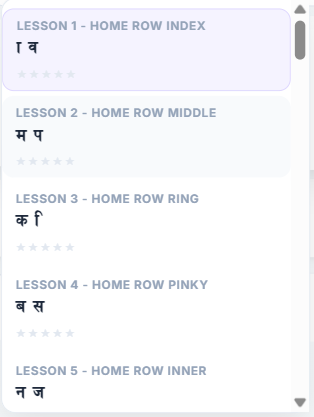
(Lessons 1 - 46)
Try This Level →
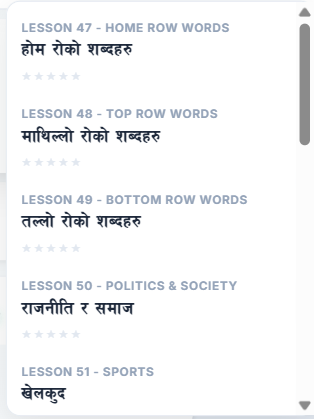
(Lessons 47 - 60)
Try This Level →
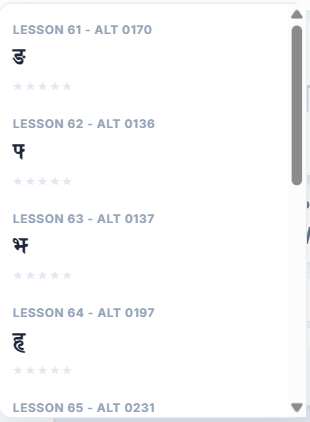
(Lessons 61 - 70)
Try These Drills →
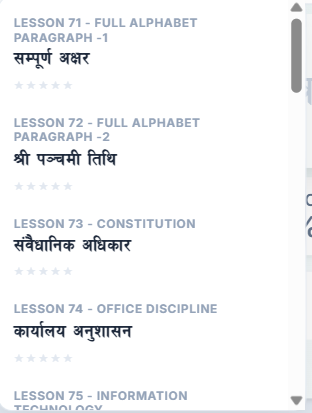
(Lessons 71 - 93)
Try This Level →
🛠️ 3. Smart Guidance & Performance Tracking
🖐️ Visual Finger Guidance & Key Highlighting
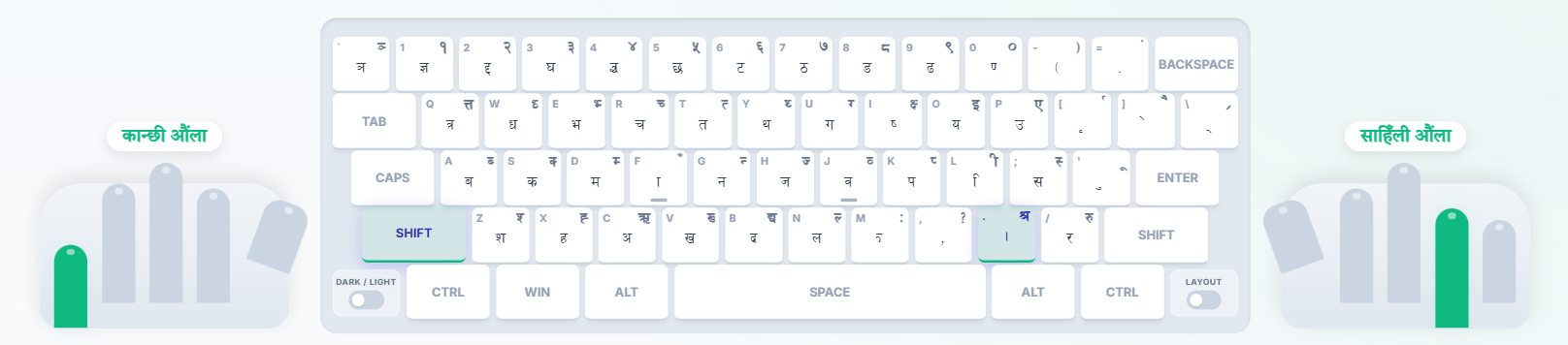
This is our "Secret Sauce." On your screen, you will see a virtual keyboard and a pair of hands.
- Dynamic Highlighting: The system highlights the exact key you need to press next.
- Finger Mapping: Each finger is color-coded. If the virtual index finger turns Blue, you must use your physical index finger.
- The Goal: To build Touch Typing skills, where your eyes stay on the screen while your fingers find the keys automatically.
📱 Mobile Experience & Tips
Learning on a mobile phone? While a physical keyboard is best, you can still learn effectively:
-
🔄
Landscape Mode: Always rotate your phone. This gives you a wider view of the keyboard and hints.
-
🔍
Zoom Adjustments: If contents look too small, pinch to zoom or adjust your browser's text scaling so all elements fit properly.
-
🔌
OTG + Physical Keyboard: For the real experience, use a USB OTG cable to connect a cheap physical keyboard to your phone. It works like magic!
-
⌨️
On-Screen Keyboard: You can use our virtual on-screen keyboard, but it is less practical for speed building. Use it for memorizing key positions on the go.
📊 Real-Time Performance Analytics
Stop guessing your speed. Our engine provides live data:
- WPM (Words Per Minute): Measures your raw output speed.
- Accuracy: We track every single mistake. Aim for 95%+ to ensure professional-grade quality.
- Live WPM Graph: A visual chart that shows if your rhythm is steady or erratic.
- Personal Heatmap: After your session, see a color-coded map of the keyboard. Keys in Red are your "speed killers." We use this data to suggest specific drills.

📜 4. Certification: Showcase Your Mastery
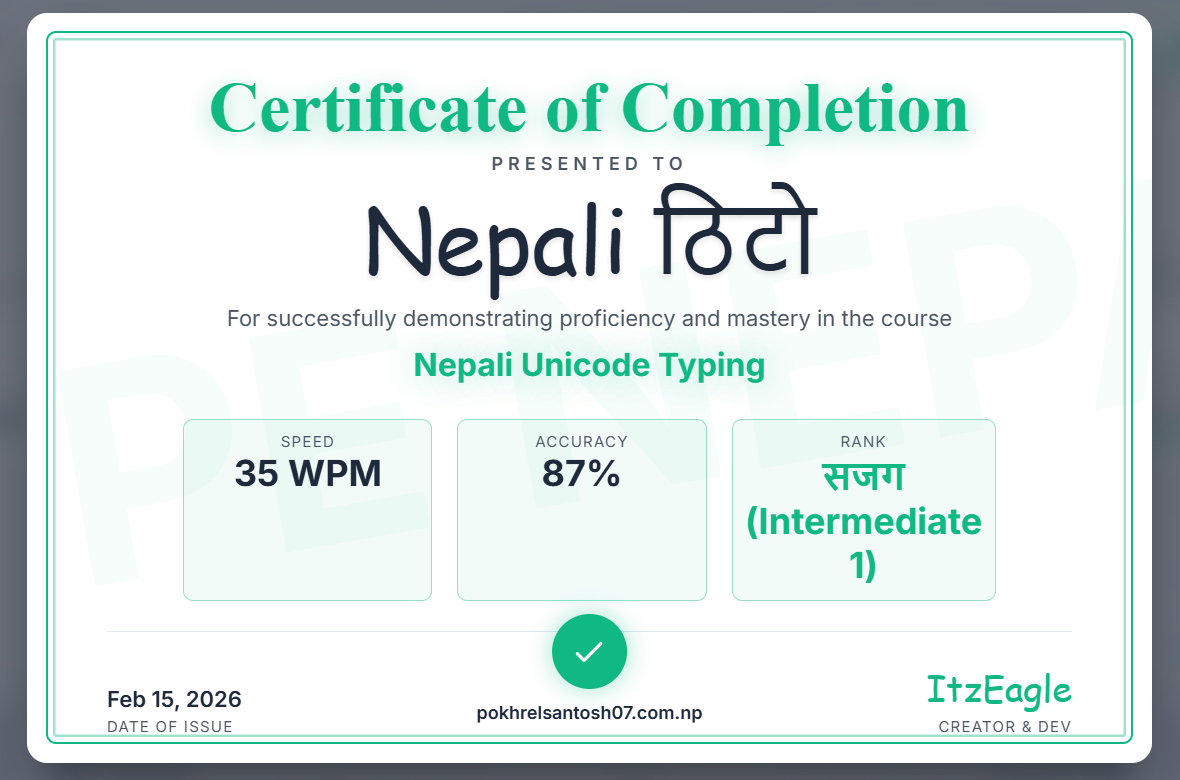
Celebrate your hard work with a professional TYPE नेपाली Typing Certificate. Our certification process ensures you've reached a high level of proficiency before being awarded.
How to Earn Your Certificate:
-
🇳🇵Preeti / Unicode / Romanized Modes Passing Lesson 93 is the ultimate milestone. While earlier lessons are optional, you must complete all drills in Lesson 93 to unlock your certificate.
-
🇬🇧English Mode Requires completion of all Word and Paragraph lessons in the curriculum to ensure full mastery of English touch typing.
⌨️ 5. Preeti Mastery Section
Since Preeti typing remains the gold standard for office typing and government work in Nepal, we have integrated advanced tools for this layout.
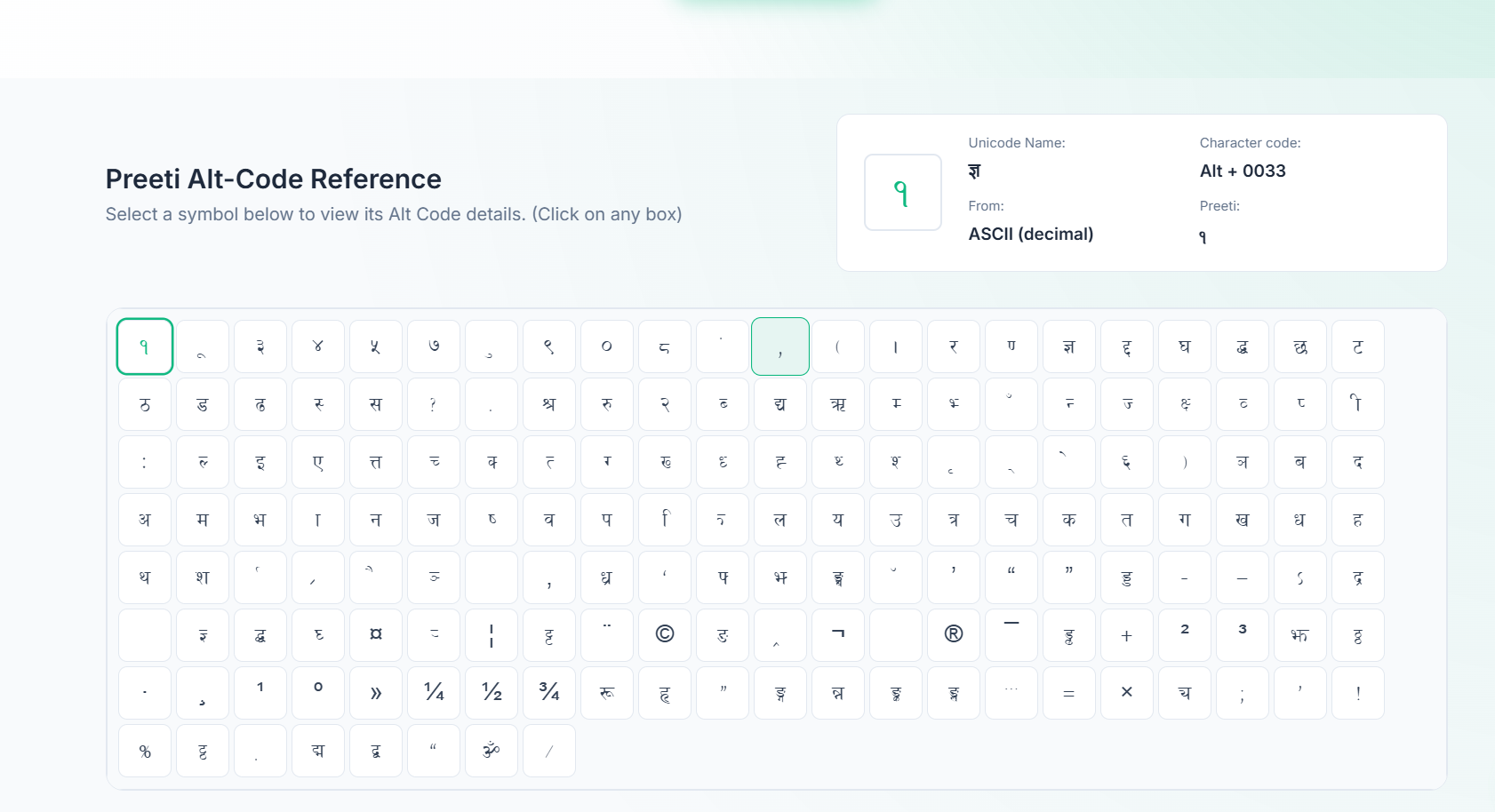
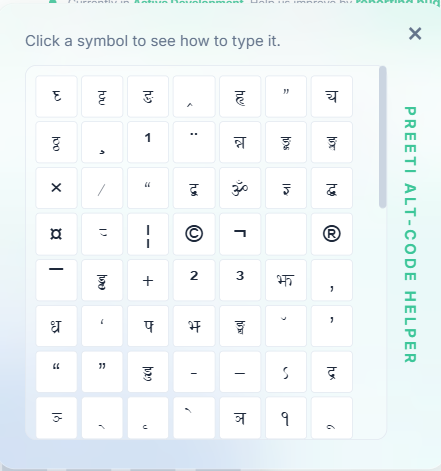
The "Alt Code" Dictionary
Professional typing often requires characters that aren't on the keys. Use our Numpad Alt-Codes to type these flawlessly:
| Character | Usage | Alt Code |
|---|---|---|
| झ (Jha) | झपा (Jhapa) | Alt + 0137 |
| त्त (Double Ta) | उत्तर (Uttar) | Alt + 0205 |
| द्ध (Ddha) | बुद्ध (Buddha) | Alt + 0216 |
| द्व (Dwa) | द्वन्द्व (Dwanda) | Alt + 0191 |
| ॐ (Om) | Sacred Opening | Alt + 0231 |
| ङ्ग (Nga) | संघ (Sangha) | Alt + 0219 |
For a full list of over 50+ codes, visit our dedicated Alt Code Reference Page.
💡 6. Pro Tips for Rapid Improvement
To increase Nepali typing speed in 2026, follow these "Cheats":
- The Anchor Rule: Always keep your index fingers on the F and J keys. Feel for the physical bumps!
- Rhythm over Speed: Type at a steady, robotic pace. "Slow is smooth, and smooth is fast."
- Practice in Context: Use our Paragraph Mode to type real-world news and legal text. This prepares you for actual work environments.
- Zero-Peeking Policy: Cover your hands with a cloth if you have to. If you look at the keys, you reset your progress.
🎨 7. Personalize Your Experience
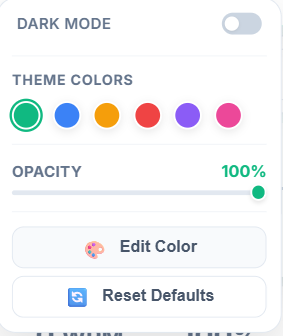
Typing for long hours can be tiring. Customize the interface to reduce eye strain and match your preference:
- Dark Mode: Perfect for late-night practice sessions.
- Theme Colors: Choose from Blue, Orange, Pink, Purple, or Green accents.
- Keyboard Opacity: Adjust the virtual keyboard visibility to challenge your muscle memory.
🔄 7. Official Utilities
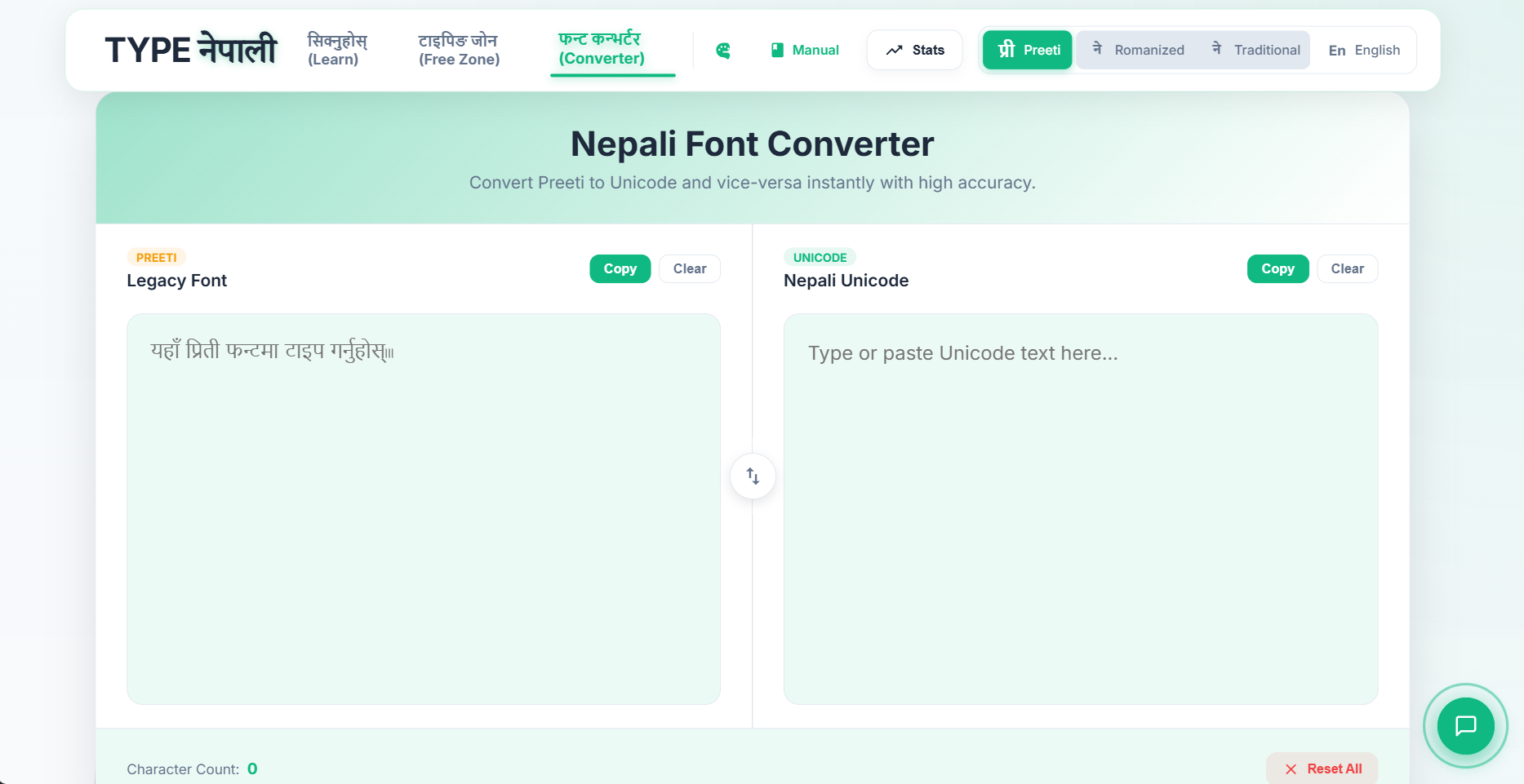
Working in a modern office requires switching between formats. Our Unicode to Preeti Converter is built for speed:
- Draft your emails in Unicode for the web.
- Convert to Preeti for official printouts and government filings.
- Ensures 100% character accuracy without "broken" glyphs.
🎯 Conclusion: Your Journey Starts Here
TYPE नेपाली isn't just a website; it's a complete ecosystem designed to make you a top 1% typist in Nepal. Whether you are aiming for a Computer Operator role or just want to be more productive, consistency is key.
🙋 Frequently Asked Questions (FAQ)
Is TYPE नेपाली completely free?
Yes! All features including Learn Mode, Free Zone, and the Converter are 100% free to use for everyone.
Do I need to install Preeti font on my computer?
No. We embed the font directly in the website, so you can practice on any device without installing anything.
How long does it take to learn Nepali typing?
With 30 minutes of daily practice on our platform, most users reach a functional speed (20+ WPM) within 2-3 weeks.
Can I use this for Loksewa Ayog preparation?
Absolutely. Our curriculum is specifically designed to cover the character sets and speed requirements for government Computer Operator exams.
⌨️ 8. Traditional Unicode Shortcuts
For professional typists using the Traditional Unicode layout, we have implemented essential shortcuts to type standard punctuation and symbols without switching modes. Use these combinations:
| Symbol | Shortcut | Shift Combination (if any) |
|---|---|---|
| Comma , | Ctrl + , | - |
| Less than < | Ctrl + Alt + < | Shift + Comma |
| Full stop . | Ctrl + . | - |
| Greater than > | Ctrl + Alt + > | Shift + Period |
| Slash / | Ctrl + / | - |
| Question Mark ? | Alt + 63 | (Numpad Method) |
| Semicolon ; | Ctrl + ; | - |
| Colon : | Ctrl + Alt + : | Shift + ; |
| Single Quote ' | Ctrl + ' | - |
| Double Quote " | Ctrl + Alt + " | Shift + ' |
| Brackets [] | Ctrl + [ or ] | - |
| Curly Braces {} | Ctrl + Alt + { | Shift + [ / ] |
| Parentheses () | Ctrl + Alt + ( | Shift + 9 / 0 |
| Dash / Underscore - / _ | Ctrl + - or Alt | - |
| Plus / Equal + / = | Ctrl + = or Alt | - |
| Backslash / Pipe \ / | | Ctrl + \ or Alt | - |